How do I use the Watch Ring Remote?Updated 6 months ago
The Watch Ring Remote features an intuitive design that makes it very easy to use. It may take one or two sessions to fully get used to the ring controller, but once you do, it feels far more ergonomic than a traditional trigger remote. You’ll enjoy smooth, unrestricted movement, whether you’re pushing up from the board, paddling, holding a wing, duck-diving, or carving on a wave
Overview of the display and remote components
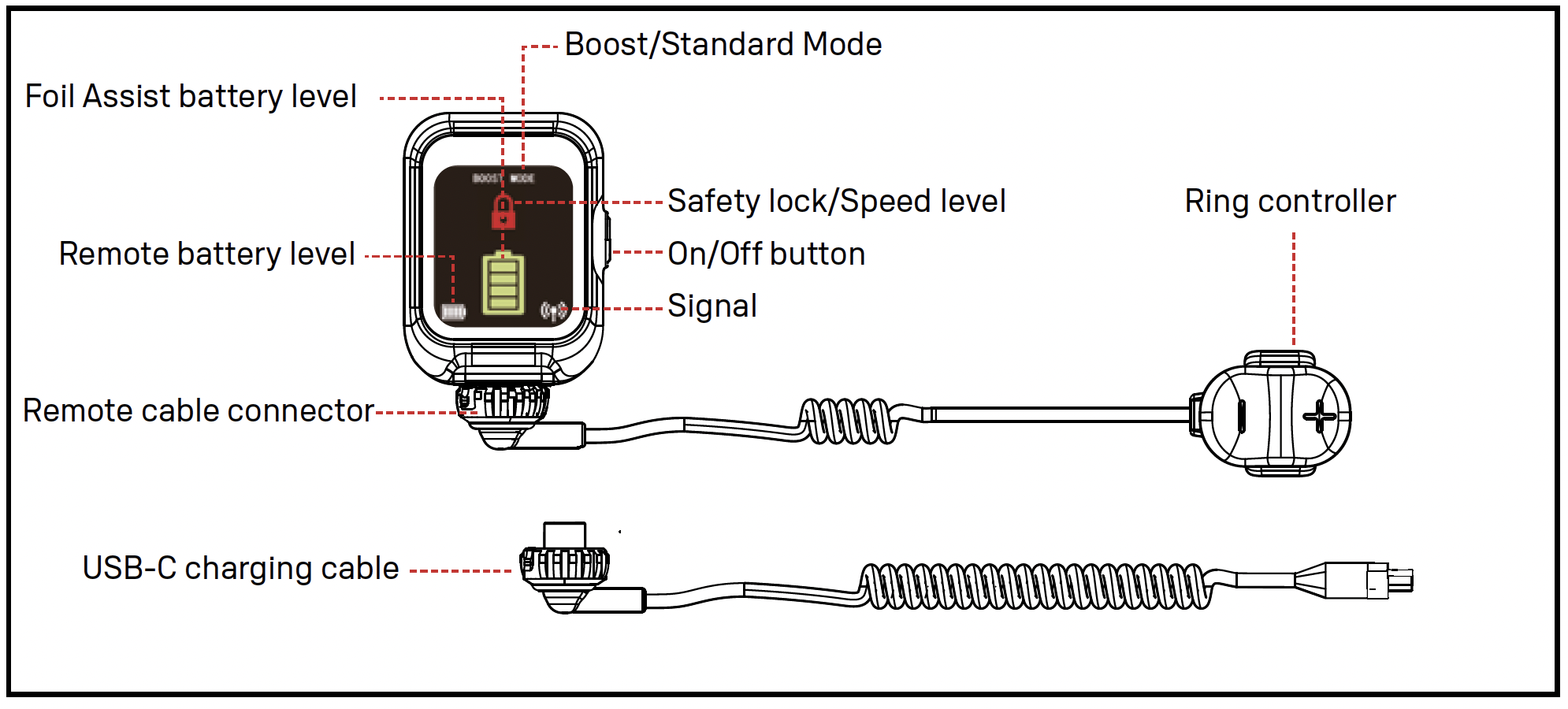
ℹ Note: If you have a larger wrist or wear the remote over a neoprene glove, you can replace the strap with the included XL strap. If the ring feels too big, swap the ring pads for the thicker pads or combine a thin and a thick pad for the perfect fit.
Using the remote
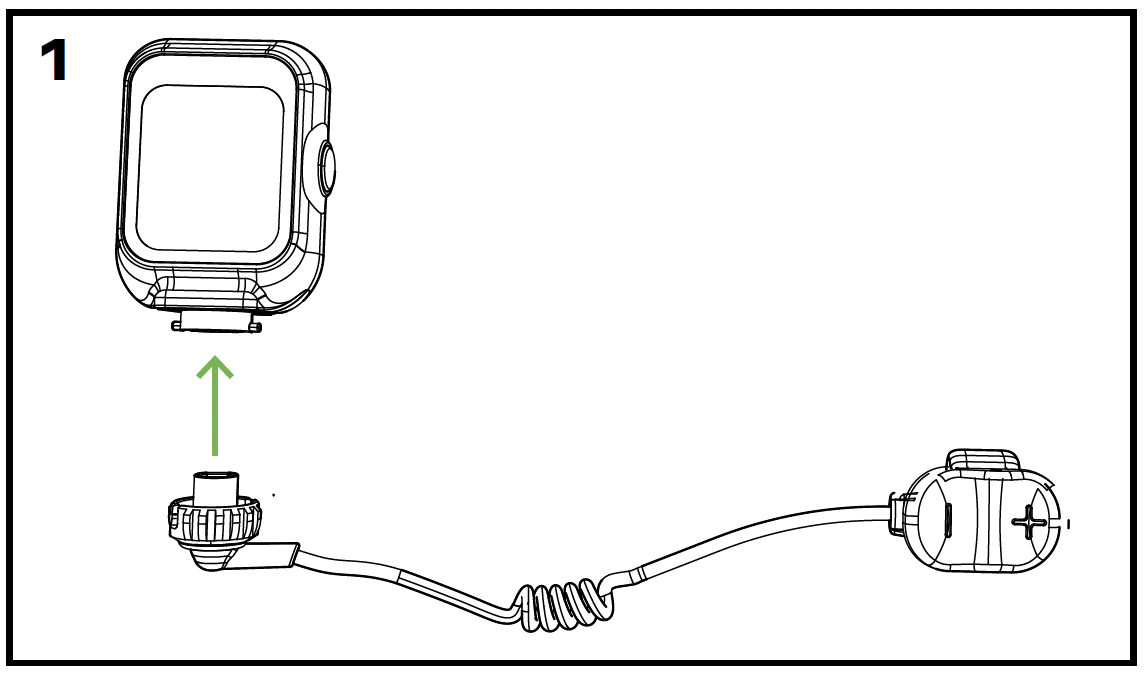
Fully charge the remote control before your session (one charge usually lasts for several sessions). Then disconnect the charging cable and attach the ring controller.
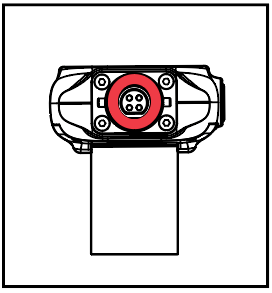
⚠ Ensure that the sealing ring is still inserted in the watch connector to ensure a waterproof seal.
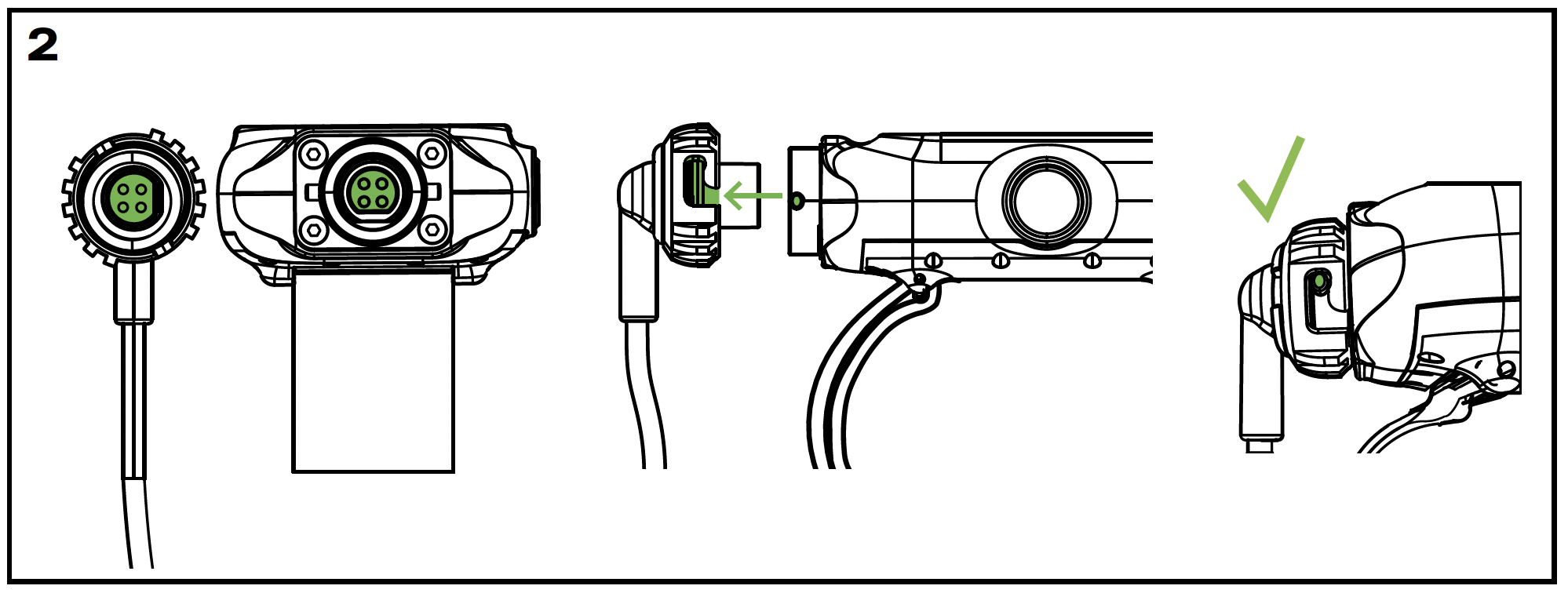
⚠ The connectors can only be inserted when the notches are properly aligned. Ensure the connectors are clean, dry, and securely locked into place to prevent water entry.
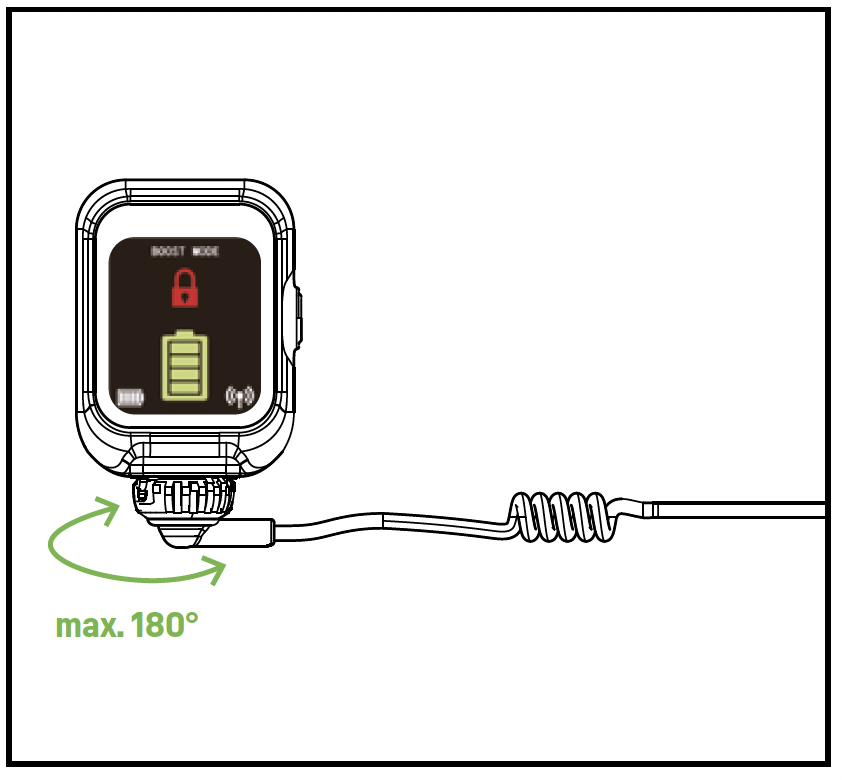
⚠ The cable of the connector can rotate up to 180°. Never over-rotate, once you feel resistance, do not force the cable to rotate further as it will damage the internals, resulting in malfunction of the remote.
Activating the motor and using the remote
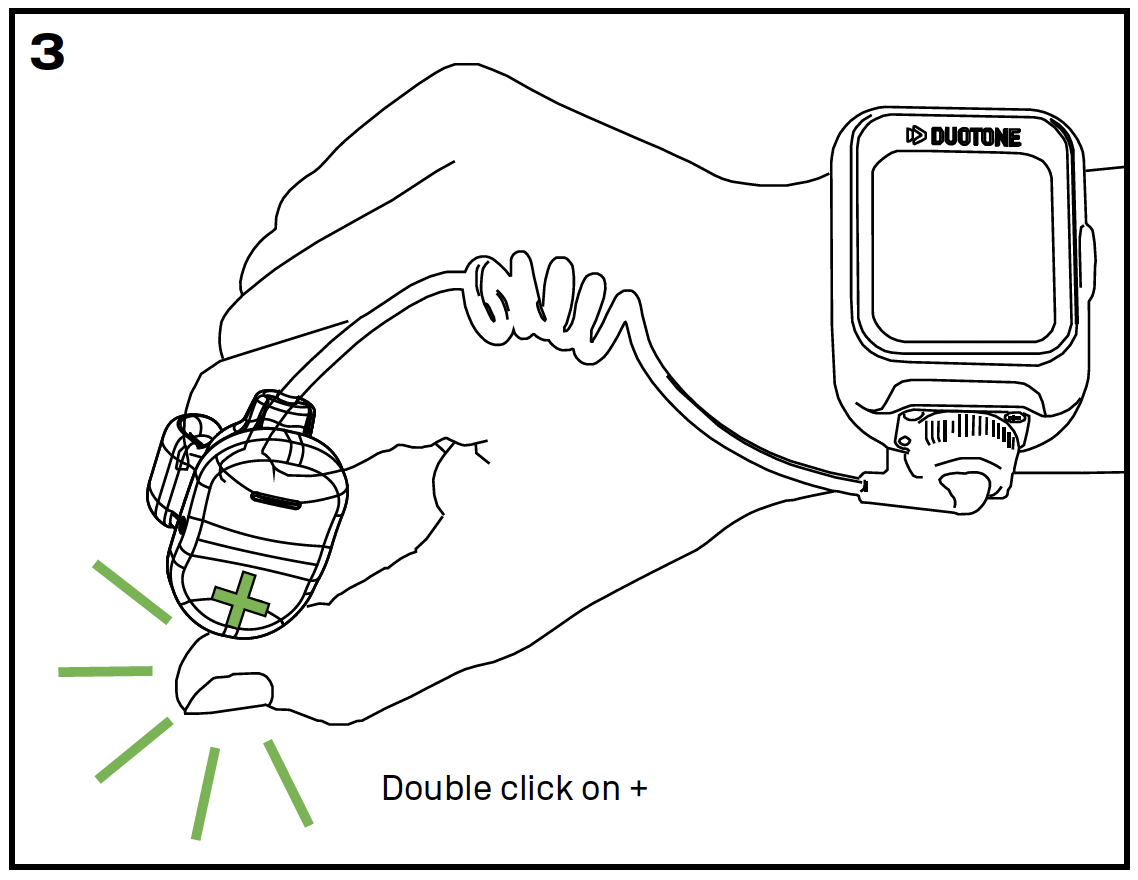
To unlock the remote and activate the motor, press the + button twice and then hold it down.
The required double-click prevents accidental motor activation.
After that, a single press of + increases the speed level. To decrease the speed, press the – button. Hold the button to maintain the current speed level. As soon as you release the ring controller, the propeller stops and the remote resets to 0.
Switching between Standard and Boost Mode
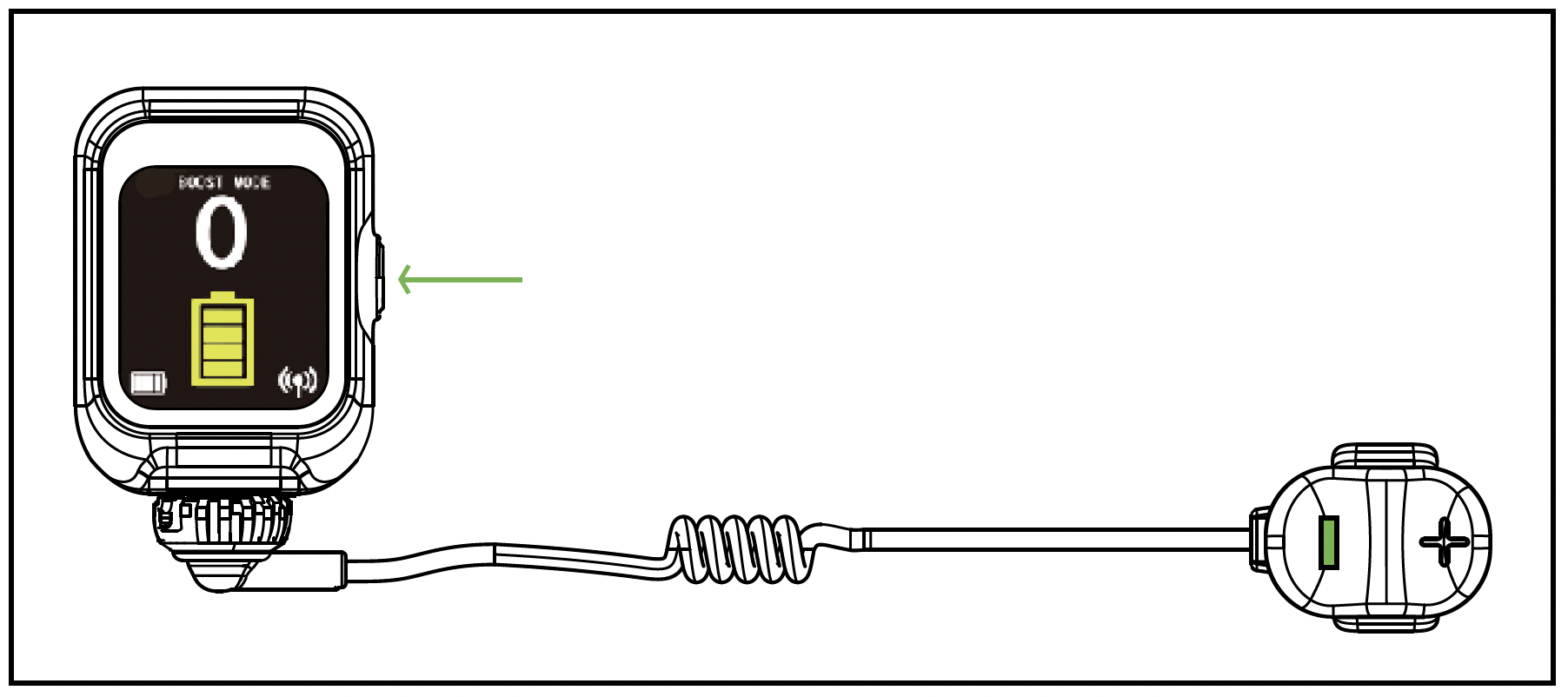
The default mode is BOOST MODE. To switch between BOOST and STANDARD MODE, press the - and POWER buttons simultaneously.
- BOOST MODE: 7 speeds
- STANDARD MODE: 5 speeds
Low battery warning
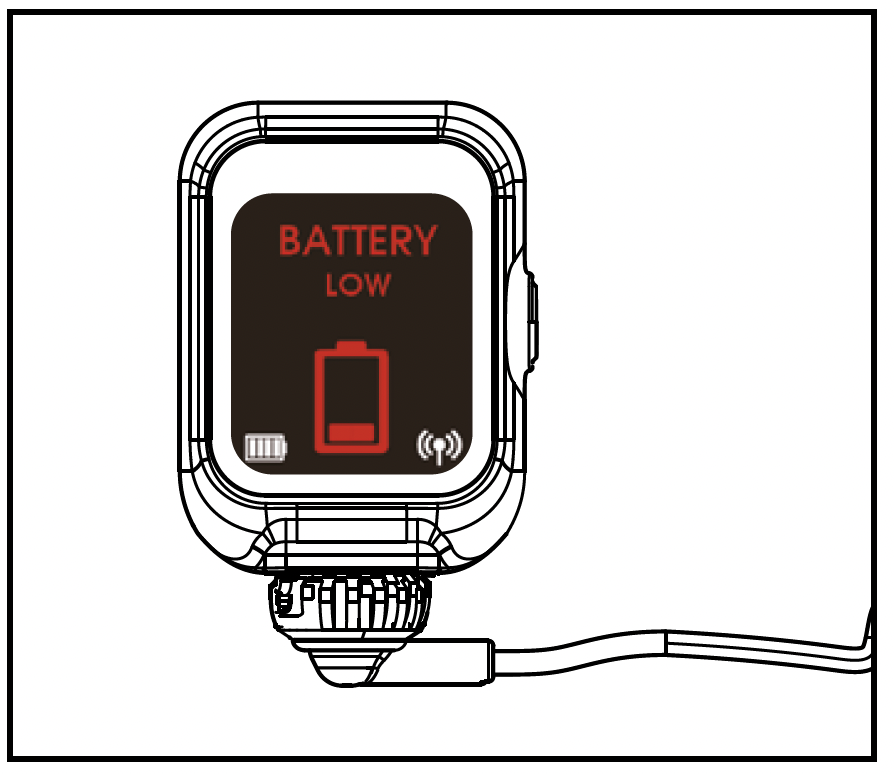
Always keep an eye on the battery level during your session. If the remote vibrates and displays “Battery Low,” you should immediately head back to shore.