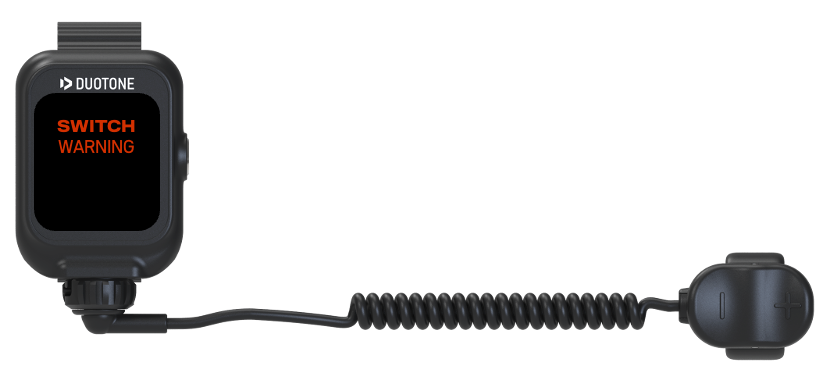
What can I do if the remote is not working?Updated 3 months ago
Possible Causes
- The remote battery is empty.
- Water may have entered the remote, or there may be moisture on the connector.
- The ring controller has failed due to over-rotation of the cable, which is indicated by the screen showing “SWITCH WARNING”.
Actions
- Charge the remote until the battery shows at least three bars.
- Dry the remote, especially the connector, completely. Make sure the ring controller or charging cable is not attached. Test if the remote is working.
- Unscrew the ring or charger cable and confirm that the red O-ring is installed correctly.
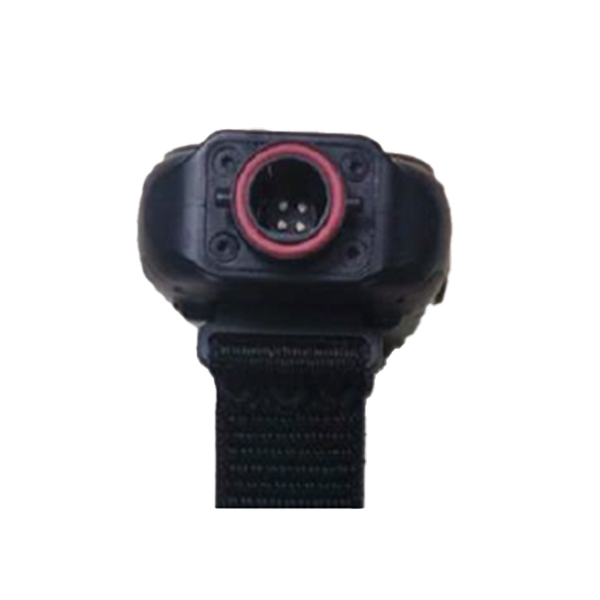
- Inspect the connector pins for dirt or sand.
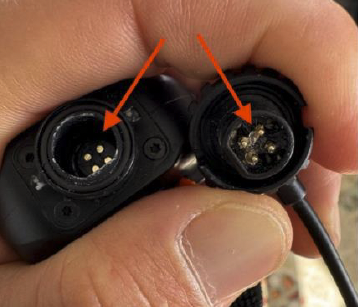
- Clean the pins using alcohol and a cotton swab.
- Apply a thin layer of dielectric grease to the connector.
- If “SWITCH WARNING” appears when pressing the ring, replace the ring controller.